Pin your take on the content of any URL. For yourself, for friends, or for the whole world to see.
Get LayerTake for Chrome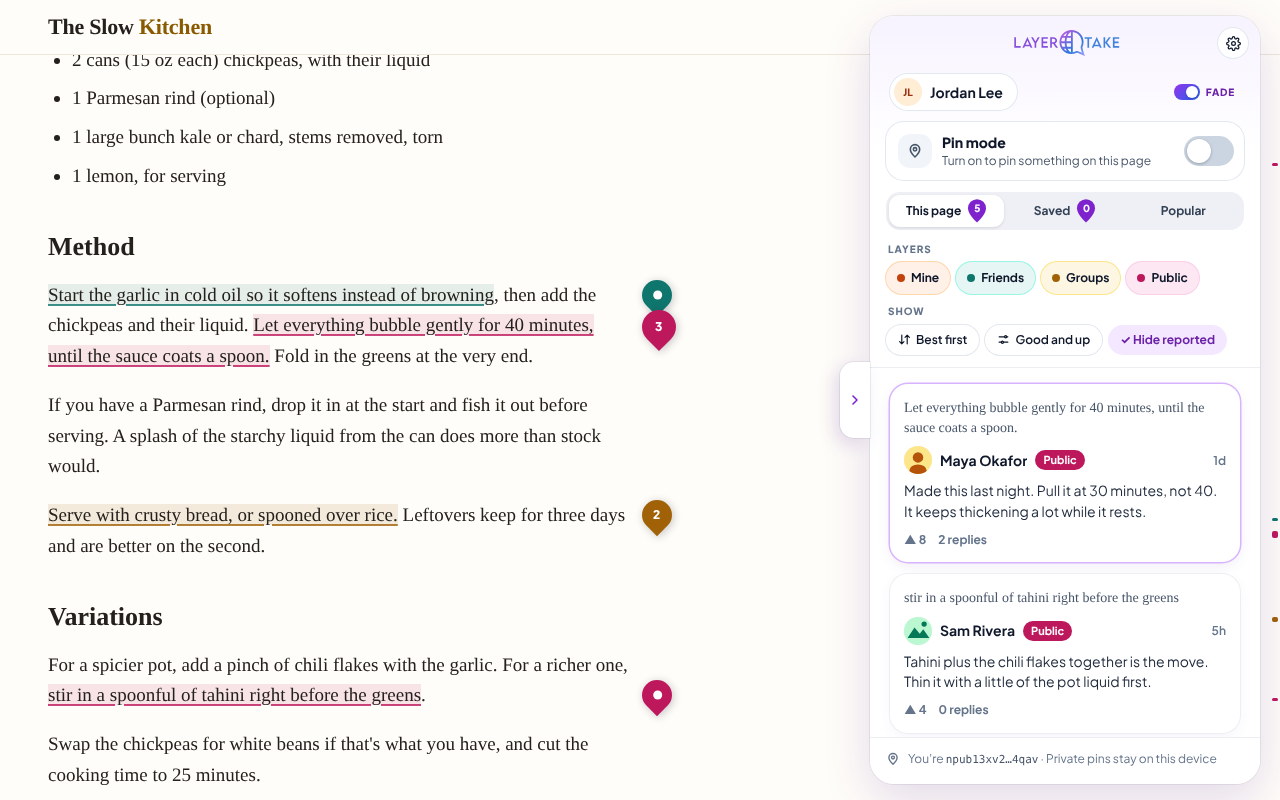
Four layers
Each pin is for you alone, your Friends, a group, or everyone. Turn layers on and off to see the page the way you want.
Attached to the content
Open LayerTake, select a sentence or point at an image, and choose “Pin this.” Pins find their place again when you come back, even if the page has shifted. Tuck the panel away to just read, with pins shown or hidden.
Private by default
No accounts, no servers, no tracking. Private pins never leave your browser, and pins for Friends and groups are encrypted.